

It’s easy to find a website builder that offers a free plan. However, most free plans are little more than an attempt to get you hooked. You invest valuable time and effort into your site, only to discover that the most important features are locked behind a paywall.
That’s why my team and I tested the top website builders – to see which ones actually let you build a usable site for free. In addition to building a website with each builder on this list, I also read the fine print and double-checked their complete offering.
While you can build a functional site using a free plan, there are a few drawbacks, such as limited storage and unwanted ads. To give you the full experience, I’ve also included a few paid plans that come with generous free trials. This way, you can explore all the features of a premium website builder at no cost – at least for a limited time.
My top recommendation is Wix, thanks to the unparalleled design freedom it gives you, even on the free plan. Keep reading to discover which free website builder is right for you, or go ahead and get started with Wix today.
Short on Time? These Are the Best Free Website Builders in 2025
What We Look For in The Best Free Website Builders
While many free website builders promise the world, some come with significant trade-offs like restricted storage, limited design options, and intrusive ads. This can leave you feeling forced to upgrade. When choosing free builders, I made sure the free versions are functional enough so you don’t feel pressured to make a purchase if you don’t want to. Here’s what I prioritized:
- Non-intrusive ads. Ads on a free site are unavoidable, but I looked for sites that have the least intrusive ads. Most of them just have a small banner at the top or bottom of your site.
- Beautiful, functional templates. You can use any website builder on my list to create a site that actually looks good – modern, polished, and visually appealing – not one that seems outdated or clunky.
- Ease of use. What good is software that you can’t figure out how to use? I’ve only included builders with user-friendly interfaces, so you won’t have to waste hours figuring out how they work. My recommendations also include AI tools that build a complete, tailored website for you based on your business info.
- Design freedom. A great website builder empowers you to create a site that reflects your personal style or professional brand. All my picks come with intuitive drag-and-drop editors, versatile templates tailored to industries like e-commerce and blogs, and customizable color palettes to match your brand identity.
- Easy and affordable site upgrades. As your needs evolve, your website should be able to grow with you. My recommendations make it simple and cost-effective to upgrade, so your site can adapt without straining your budget.
Quick Look at Our Best Free Website Builders
- 2500+ designer-made, fully customizable templates
- Intuitive drag-and-drop editor with AI assistance
- Free apps available via the Wix App Market
- SEO Setup Checklist included free of charge
- Generous free plan with no feature limitations
- Live chat support 5 days/week and 24/7 callbacks
- 500 MB storage, 1 GB bandwidth on free plan
- Slight learning curve for absolute beginners

- Mobile-responsive templates for any kind of site
- Straightforward editor to customize your site quickly
- App Market includes freebies like Google Analytics
- Built-in blogging features like post scheduling
- Free plan includes basic business tools
- 24/7 live chat in English + 16 other languages
- Guided setup to get you started quickly
- Subdomains include random letters and numbers

- 50+ simple, well-laid-out templates
- Fast, beginner-friendly editor
- Widgets for media sharing, ratings, forms, and more
- Easy-to-use SEO tools
- Unlimited website storage included for free
- Comprehensive knowledge base about web-design
- Large banner ads on free sites
- Design features are limited



Top Truly Free Website Builders
Most free website builders promise a lot, but very few deliver. These top three let you build and publish a complete site – no credit card required. They offer flexible design tools, beginner-friendly editors, and enough features to support blogs, portfolios, or small business pages on a permanent free plan.
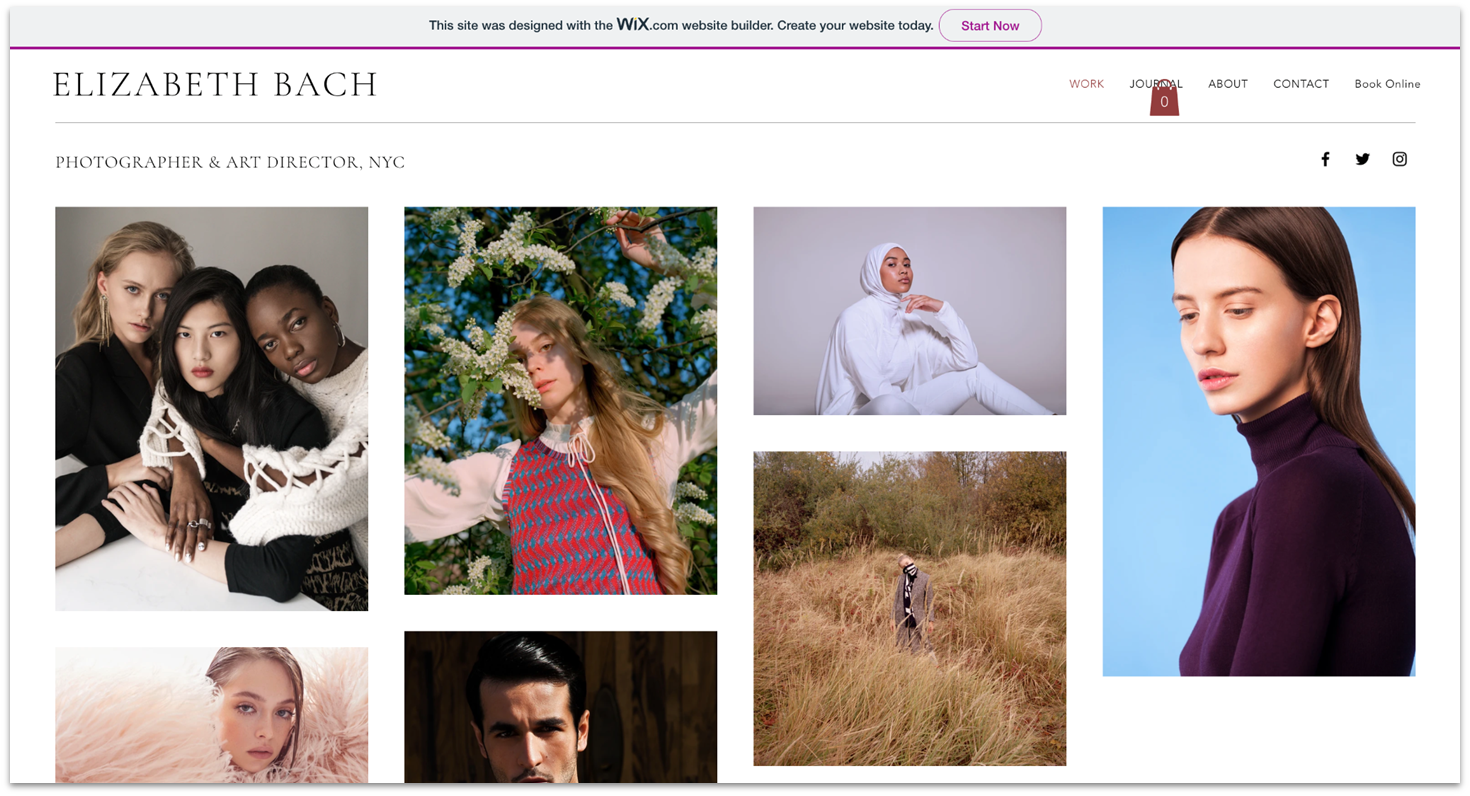
Wix has been at the forefront of the website builder industry for quite some time, constantly evolving. As such, it has one of the most feature-filled site builders around, and it shows.
While many builders offer hundreds of templates, they often don’t tell you that only a handful are free. Wix’s 2500+ templates, on the other hand, are all free. Not just that, but thanks to its highly flexible and intuitive drag-and-drop editor, you can easily adjust text, add media, and tweak the overall layout of these designs however you like.
Wix also has one of the best free plans around. It grants you access to almost every feature for free, with a few exceptions, like e-commerce tools. Some of the free features you get include an AI builder, free hosting, 500 MB storage, and SEO and marketing tools. There’s truly no reason you couldn’t use Wix’s free plan forever (so long as you don’t mind having Wix branding and aren’t planning to sell anything on your site).
Wix does come with one small downside. With its creative freedom and extensive site options, I found that building a site with Wix is slightly more complex than with some of the other platforms. That said, it’s not too bad, and you can definitely create a great site from scratch in a couple of hours.

Save up to 50 % on your Wix plan!
Sign up for an annual plan and enjoy the savings.
Plus get a free custom domain for 1 year!
Features
- Complete drag-and-drop freedom. What makes Wix’s editor so popular is the fact that you can drag and drop anything and place it anywhere on the page. Well, almost anywhere, but it’s still a lot of creative freedom compared to other builders that use content blocks and strict grid arrangements.
- Free website builder apps. Wix’s App Market offers a pretty impressive library of 800+ apps to extend your site’s functionality or integrate it with third-party services. Now, not all of these apps are free, but there are 20+ free apps to get you started with social media integration, advanced forms, event calendars, and much more.
- Marketing tools. Need to get the word out about your site? Wix has you covered with email marketing, a social post designer, and its SEO Setup Checklist, which guides you on how best to optimize your site for Google SERP.
- Blogging tools. In addition to blogging templates, Wix also offers a free blog app, which helps you create and manage your blog. It comes with advanced SEO tools, customization options, and options for monetization through ads and subscriptions.
If you want to know a lot more about what Wix can do, check out our full Wix review.
| Best For | Full design control & pixel-perfect layouts |
|---|---|
| Features on Free Plan | 2500+ templates, true drag-and-drop editor, SEO and marketing tools, free apps, blogging tools |
| Free Site URL | username.wixsite.com/sitename |
| Storage/Bandwidth on Free Plan | 500 MB/1 GB |

SITE123 is an excellent free choice for beginners or those who want a simple, hassle-free website building experience. Its straightforward interface allows you to create a functional and aesthetically pleasing site quickly. With 80+ mobile-responsive templates, including options for blogs, events, and restaurants, SITE123 ensures your site looks polished without requiring extensive design expertise. It also has an AI builder that can create a tailored website in seconds.
While SITE123 doesn’t offer complete drag-and-drop freedom like Wix, it’s still easy to do the basics, like add a new image or edit texts. From the content bar, you’ll also be able to change font colors, create new pages, and add content blocks like FAQs and galleries to these pages.
Just note that you may have some limitations since you’re on the free plan. For instance, you only get 250 MB of storage and bandwidth. That said, if you’re looking to get something up and running quickly and easily, I highly recommend SITE123. It even has a helpful and responsive live chat support to guide you through any setup hiccups.

Get 40 % OFF SITE123
Save 40 % when you sign up for SITE123's annual plan
Features
- Blogging. Yup, you get a built-in blog with the free plan, as shown on the demo site. It’s a simple system with tags, thumbnail images, post scheduling, and a classic Microsoft Word-style text editor.
- Contact and donation forms. If you need a simple contact form or a way for people to donate to your nonprofit, great news – those features are completely free. However, if you want to build your own custom form or run an online store, you’ll need to pay.
- Small business tools. Event calendars, appointment scheduling, restaurant reservations, and a few more options are all available in the “pages” menu – even on the free plan. Just pick one and go.
- Website type flexibility. SITE123 allows you to switch between different website types, such as single-page, multipage, and landing pages, during the creation process. This flexibility ensures you can adapt your site structure to your needs without starting from scratch.
Read our in-depth SITE123 review for more details.
| Best For | Beginners wanting simplicity |
|---|---|
| Features on Free Plan | Basic design options, basic blogging tools, business tools like appointment scheduling and event calendars |
| Free Site URL | RandomName.site123.me |
| Storage/Bandwidth on Free Plan | 250 MB/250 MB |
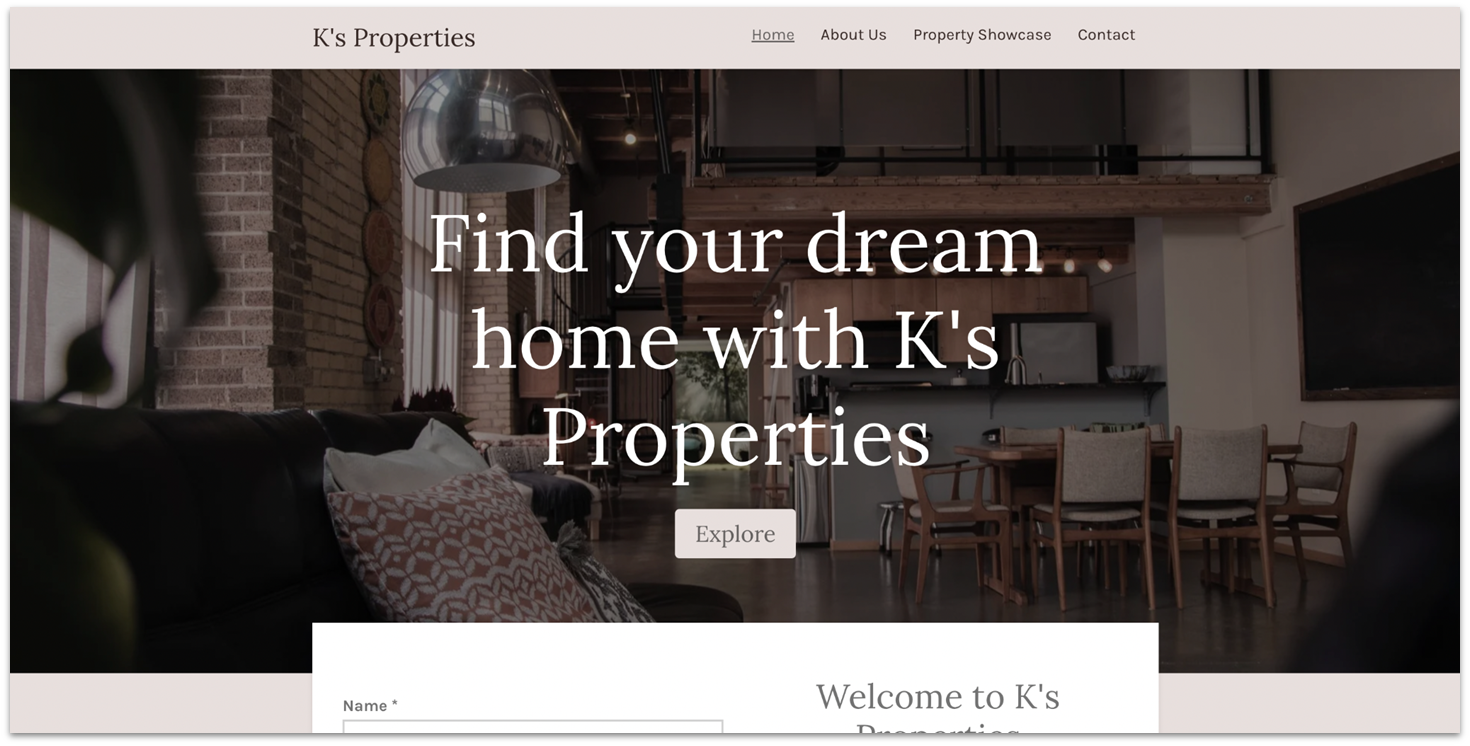
If you’re looking for a website builder that gets you online fast, Webador has you covered. When you sign up, Webador’s AI guides you through a short, simple questionnaire and generates a fully functional website in minutes based on your answers. From there, you can use Webador’s minimalist editor to personalize the design and make the site your own.
Webador excels in creating simple, but striking, one-page websites. If you’re after something more complex or need really in-depth web design features, this might not be your top pick. But if a streamlined, one-page site is your goal, Webador can certainly deliver.
The other great news? Webador’s free plan is pretty comprehensive. You can do almost everything that the paid plans offer – the only exceptions are selling online and using a custom domain.
One issue with Webador is that the banner ad at the bottom of the page is bigger than Wix’s or SITE123’s. The only redeeming point is that it’s at the bottom of the page, so a reader will have to scroll all the way to the bottom to see it. Another thing to note is that Webador doesn’t let you select a template until its AI has generated your site and transferred you into the editor.


Get 6 Months FREE with Webador's Pro Plan!
Limited-time offer - Don't miss it!
Features
- Unique widgets for media sharing. Webador’s free plan gives you access to widgets like rating features, social media icons, an image slideshow display, smart map integrations, and more.
- Easy-to-use SEO. Webador provides an incredibly easy-to-use set of tools to tinker with your site’s SEO. There’s also an option to enable the index in Google search.
- Standard blog management. Webador’s blogging capability lets you add posts, edit previous entries, and rearrange or re-categorize posts in a couple of clicks.
- Plenty of web design information. If you’re new to web building, Webador provides a comprehensive knowledge base with valuable information about web design fundamentals. There are tutorials and guides on how to create a website, set up an online store, start a blog, and so much more.
Read our expert Webador review for more details.
| Best For | One-page sites |
|---|---|
| Features on Free Plan | Social media integration, smart widgets, basic SEO tools |
| Free Site URL | sitename.webadorsite.com |
| Storage/Bandwidth on Free Plan | Unlimited/Unlimited |
Risk-Free And Affordable Website Builders
These website builders don’t offer permanent free plans, but they do give you a low-risk way to test things out. You’ll either get a generous free trial or a low starting price – ideal if you want more advanced features without overspending.

Squarespace is one of the most famous builders out there, and for good reason. Squarespace is fast, looks good, and offers almost every functionality that you could think of. The grid editor provides plenty of design freedom, but it maintains just enough structure to make sure that your site never goes off the rails. Everything from the high-quality templates to the “site styles” editor is made to benefit minimalistic, eye-catching designs.
Squarespace doesn’t offer a free plan, but it does come with a 14-day free trial and a 14-day money-back guarantee, allowing you to try the builder out risk-free. While it’s not fully free, I recommend you try it out if you’re serious about your site. After playing with it for a while, you’ll find it hard not to consider it.
If you decide to go for one of Squarespace’s plans, the Basic plan gives you a free custom domain for a year, unlimited bandwidth, third-party apps, and website analytics. It’s also one of the few entry-level website builder plans that lets you manage and grow a fully functional online store. You can sell all products and services including memberships and subscriptions.


Save up to 36 % on your Squarespace plan today!
Plus get a free domain for one year!
Features
- Intuitive grid editor. Squarespace’s grid editor is easy to learn, easy to use, and produces some stunning results.
- 180+ professionally designed templates. Choose from 180+ templates across 20 categories, including blogs, portfolios, and wedding sites.
- Unlimited bandwidth and storage. Upload as much content as you want to your site. You never have to worry about running out of space.
- Marketing integrations. Promote your site with integrated SEO features, social media tools, and email marketing campaigns.
You can read our in-depth Squarespace review for more details.
| Best For | Creative professionals and businesses |
|---|---|
| Custom URL on Cheapest Plan | Yes |
| Storage/Bandwidth on Cheapest Plan | Unlimited/Unlimited |
| Starting Price | $16.00 |

What sets Hostinger Website Builder apart is its suite of AI tools that simplify the design process. You get an AI text generator, a logo generator, and a heatmap that highlights where visitors are most likely to focus on your site.
Its intuitive drag-and-drop editor makes it one of the easiest builders to use. It’s slightly more advanced than SITE123, but still beginner-friendly.
While there’s no free plan, Hostinger offers a 7-day free trial and a 30-day money-back guarantee on all plans, giving you plenty of time to try it risk-free. Pricing starts at just $2.99/month, making it an affordable option for personal and small business websites.
Features
- Kodee. This is an AI assistant that can respond to questions about your website, provide guidance on using various features, and assist with managing technical settings.
- Live chat integration. You can link Facebook Messenger and WhatsApp to your website, making it simple to engage with visitors through the platforms they already use.
- 180 templates. Choose from a wide selection of templates across categories like Portfolio, Blog, Entertainment, and more.
- SEO and marketing tools. Every Hostinger Website Builder plan includes features to help you market your site and rank higher on search engines.
You can read our full Hostinger Website Builder review for a more in-depth look.
| Best For | Beginners on a budget |
|---|---|
| Custom URL on Cheapest Plan | Yes |
| Storage/Bandwidth on Cheapest Plan | 25 GB/Unlimited |
| Starting Price | $2.99 |

IONOS is all about combining good looks with business functionality. Even though it doesn’t have as many templates as other builders, all of them are professional-looking and suitable for any type of business. I also found the designs are completely responsive. No matter what device your visitors are using, you can ensure that your site always looks its best.
Don’t let the professional sheen intimidate you, though. IONOS prioritizes user-friendliness, no matter your technical skill level. Its drag-and-drop interface makes it a breeze to craft your website. Everything from adjusting fonts and colors to adding new pages or sections can be done with just a couple of clicks. Also, if you already use any one of IONOS’ web services, the website builder integrates seamlessly with them.
I should point out, however, that IONOS doesn’t offer a free plan. I did feel like it earned a place on this list, though. Thanks to its budget-friendly plans and 30-day money-back guarantee, IONOS offers some of the greatest value out of any website builder. In an ultra-competitive market, IONOS certainly stands out as a cost-effective, risk-free choice.
Features
- Quick block editing. Instead of modifying each block by manually tinkering with its widgets, IONOS gives you a selection of different block configurations and control over your fonts and colors. This can make the editing process a lot more streamlined, but you lose some creative freedom in the process.
- Free email with all plans. Each plan includes at least one professional email address at no extra cost.
- Dedicated support rep. When you sign up for IONOS, you get personalized help from a customer support representative assigned to your account. That means that over time, your rep will become fine-tuned to your specific needs.
- RankingCoach integration. Boost your site’s visibility with built-in RankingCoach SEO tools.
Read our expert IONOS review for more details.
| Best For | Small business owners |
|---|---|
| Custom URL on Cheapest Plan | Yes |
| Storage/Bandwidth on Cheapest Plan | 10 GB/Unlimited |
| Starting Price | $1.00/month |
Other Notable Free Website Builders
These builders also offer free plans, and while they didn’t earn a top spot, they’re still solid options depending on what you need. If you’re looking for something specific (like advanced blogging or e-commerce tools), one of these might be a better match.
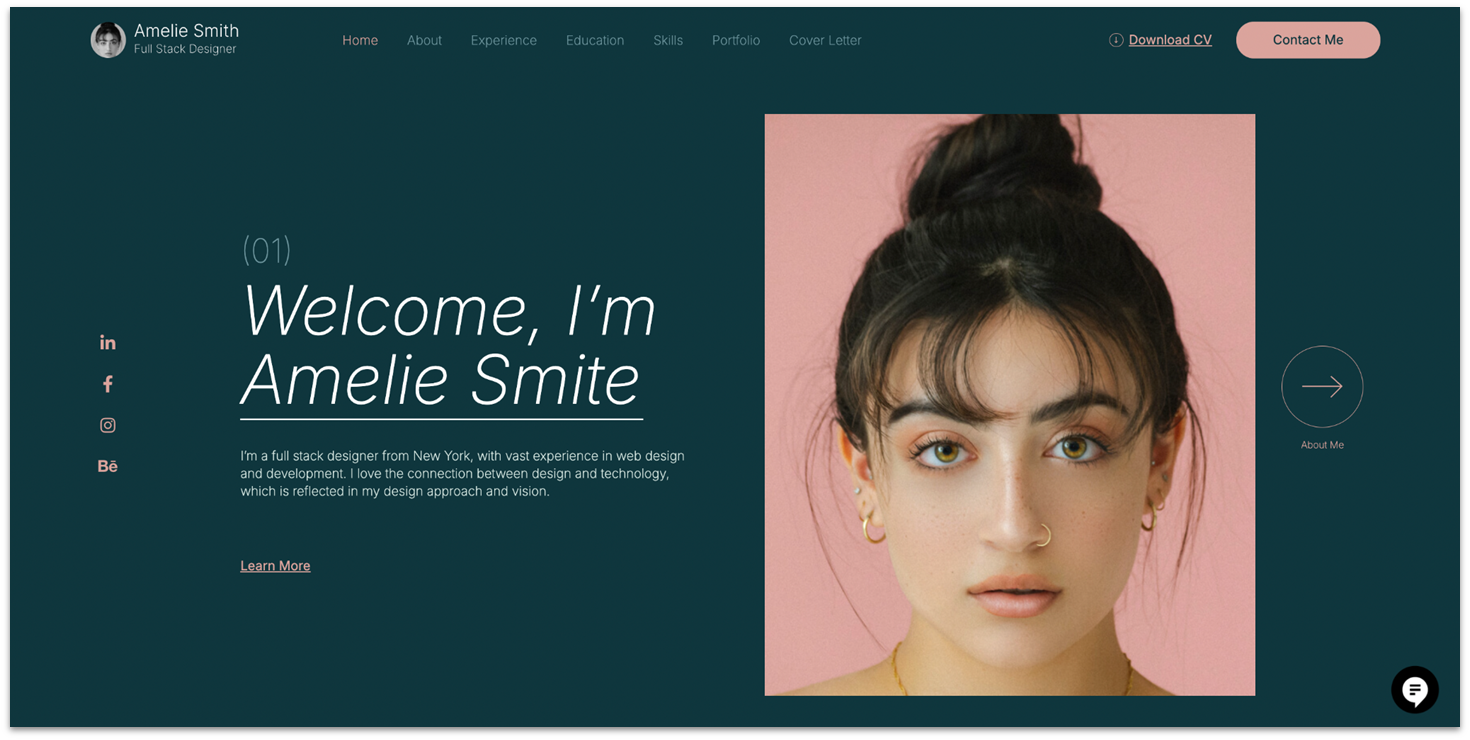
Elementor is a plugin that gives WordPress proper drag-and-drop site design functionality. You can install it for free on a WordPress site on your own server, or you can pay money to access plugins on WordPress.com and install it there.
Just note that Elementor’s free plan is pretty limited, so any site you make with the free version will look quite plain. To unlock Elementor’s more interesting features – such as media slides, animated headlines, and contact forms – you’ll need to upgrade to the Pro version.
If you want to design a custom site based on WordPress without coding, Elementor is really good at that. It’s also quite easy to use once you familiarize yourself with the basic controls. The main downsides are that you need to already have some design knowledge to make anything more than a nearly blank site and that the free version has very limited options.
Features
- Page templates. There are loads of templates that will set up entire pages, or just sections of pages, for you. Note: Elementor templates might clash with the WordPress theme you have installed. Also, most of them (including templates for things like site navigation) are locked behind the Pro plan.
- Pre-made content blocks. Adding a whole templated page or element-by-element aren’t your only options. Elementor also offers a wide variety of pre-made content blocks for things like contact or “about us” sections.
- Basic content widgets. You get text, image embedding, basic image galleries, image sliders, and a few other useful things.
- Add-ons. Yep, in the world of WordPress, there are add-ons to plugins. Basically, these are other WordPress plugins that extend the functionality of Elementor with new kinds of content blocks.
You can read more about it in our full Elementor review.
| Best For | WordPress users who want to design custom sites with drag-and-drop functionality |
|---|---|
| Features on Free Plan | Content widgets, pre-made sections, page templates |
| Free Site URL | N/A |
| Storage/Bandwidth on Free Plan | N/A (Depends on your hosting provider) |
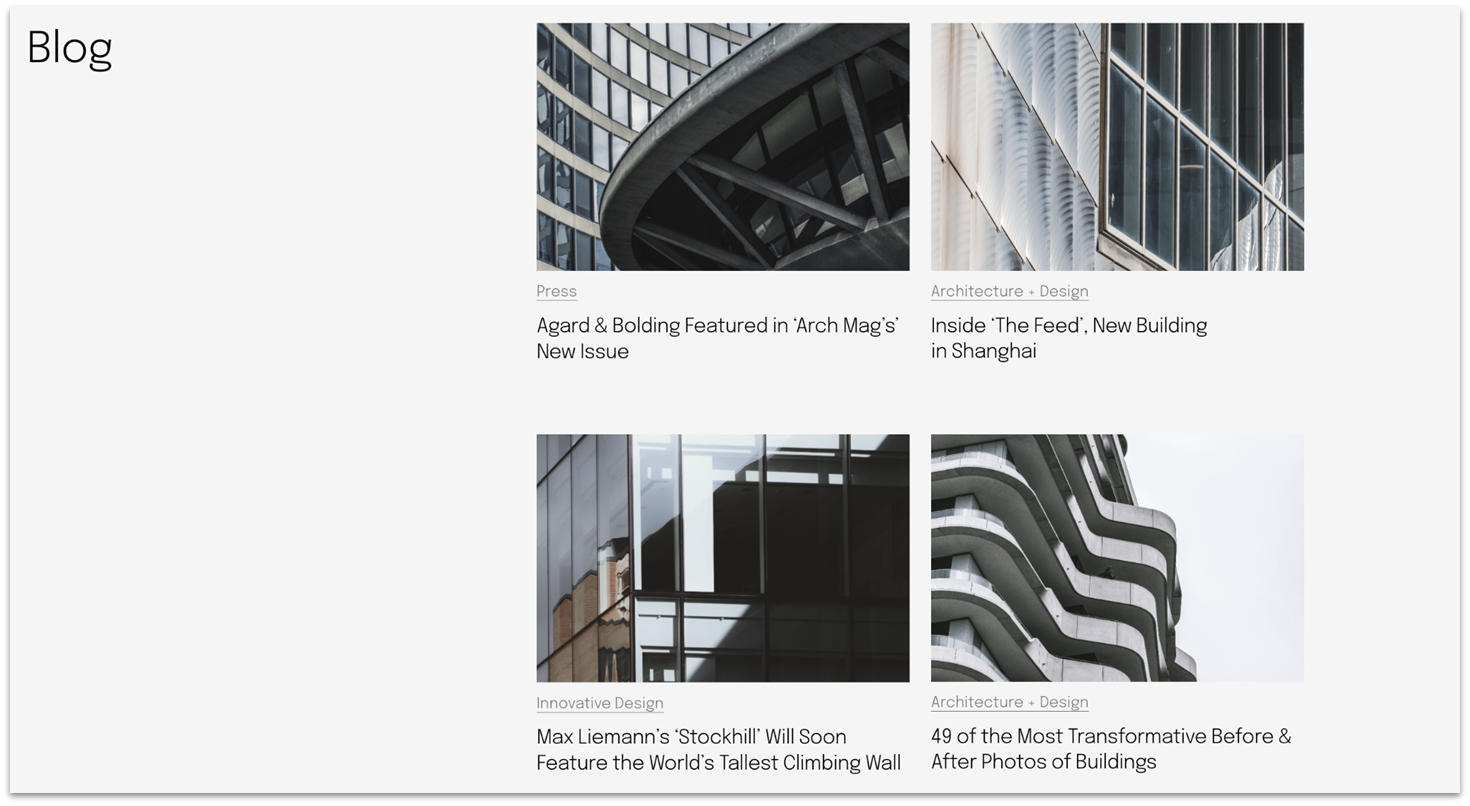
WordPress.com stands out as one of the best free blogging platforms available, offering powerful tools to help you start and grow a blog with ease. Even on the free plan, you gain access to a range of features like customizable blog themes, post scheduling tools, and built-in analytics, making it a great option for bloggers who want to focus on content creation.
In addition to its robust blogging features, WordPress.com’s user-friendly interface and all-in-one hosting solution make it an attractive choice for beginners. You can get started without worrying about technical setup or additional hosting fees, while still enjoying a professional-looking website.
That said, WordPress.com’s free plan has its limitations, especially if you’re seeking advanced customization options. While the platform offers a selection of themes and plugins, they are more limited compared to paid plans. This makes WordPress.com ideal for new bloggers, but you may eventually need to upgrade to unlock more design flexibility and functionality.
Features
- One of the best blogs around. WordPress is, first and foremost, a blogging platform. You can make it do just about anything else, but that takes time. If you just want a solid blog or a simple business site with a blog, WordPress.com can do it well.
- 300+ fantastic free themes. As an old-school content management system (CMS), WordPress is very theme-based. While you do have some control over the layout of your content, most of the design choices will be made for you by the theme you choose.
- Built-in portfolio feature. One thing WordPress.com has that the original software doesn’t is the ability to quickly and easily build a portfolio on your site. You basically add pages in the Portfolio section of your site, and certain themes (such as the one in the demo) will display your portfolio pieces automatically.
- Marketing and SEO tools. Not a lot to say here: analytics, newsletters, SEO. The gang’s all here. A lot of the more advanced SEO functionality is provided by plugins rather than WordPress itself; plugins, unfortunately, are locked behind the paid plans.
Read my full WordPress.com review to learn more.
| Best For | Blogs & content-heavy sites |
|---|---|
| Features on Free Plan | Customizable themes, blogging tools, built-in portfolio feature, marketing and SEO tools |
| Free Site URL | sitename.wordpress.com |
| Storage/Bandwidth on Free Plan | 1 GB/Unlimited |
9. Jimdo: Modular Site Builder for Small Businesses
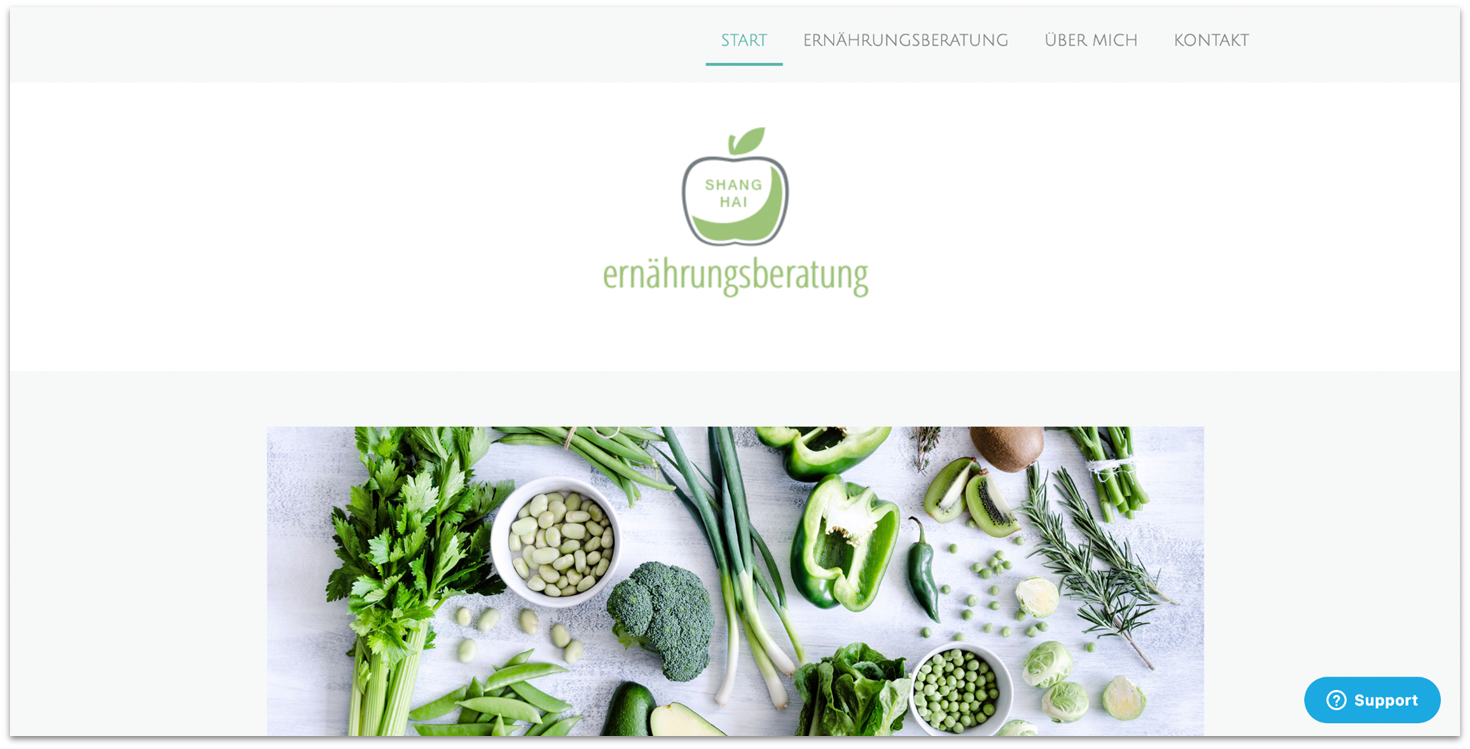
Jimdo’s free plan offers a solid starting point for individuals and small businesses looking to establish an online presence without incurring costs. With this plan, you can create up to five web pages, utilize 5 GB of storage, and benefit from 10 GB of bandwidth.
One of the standout features of the free plan is its user-friendly website builder, which requires no coding experience. Jimdo provides 20+ free, professional designs that are mobile-responsive, ensuring your site looks great on any device.
Like most free plans, Jimdo’s advanced features, such as custom domains, increased storage, bandwidth, and access to premium support, are reserved for paid plans. As your site and needs expand, consider upgrading to one of the premium plans to unlock these additional features and provide a more professional experience for your visitors.
Features
- Secure hosting and HTTPS. Every site on the free plan comes with secure hosting, including SSL encryption, which ensures your website is served over HTTPS.
- Google Maps integration. If your business has a physical location, Jimdo’s free plan lets you embed Google Maps directly into your site, providing an easy way for visitors to find your business.
- Customizable forms. Create contact forms, registration forms, or feedback forms, all on the free plan. This is an essential tool for businesses and bloggers who want to engage their visitors and gather important insights.
- Social media integration. Seamlessly integrate your social media profiles into your website, making it easy for visitors to find and connect with your social channels.
Find out more in our full Jimdo review.
| Best For | Small business owners who need an informational site |
|---|---|
| Features on Free Plan | Google Maps integration, social media integration, customizable forms |
| Free Site URL | sitename.jimdosite.com |
| Storage/Bandwidth on Free Plan | 5 GB/10 GB |
10. Webnode: Streamlined Site Builder with Simple Editing Tools
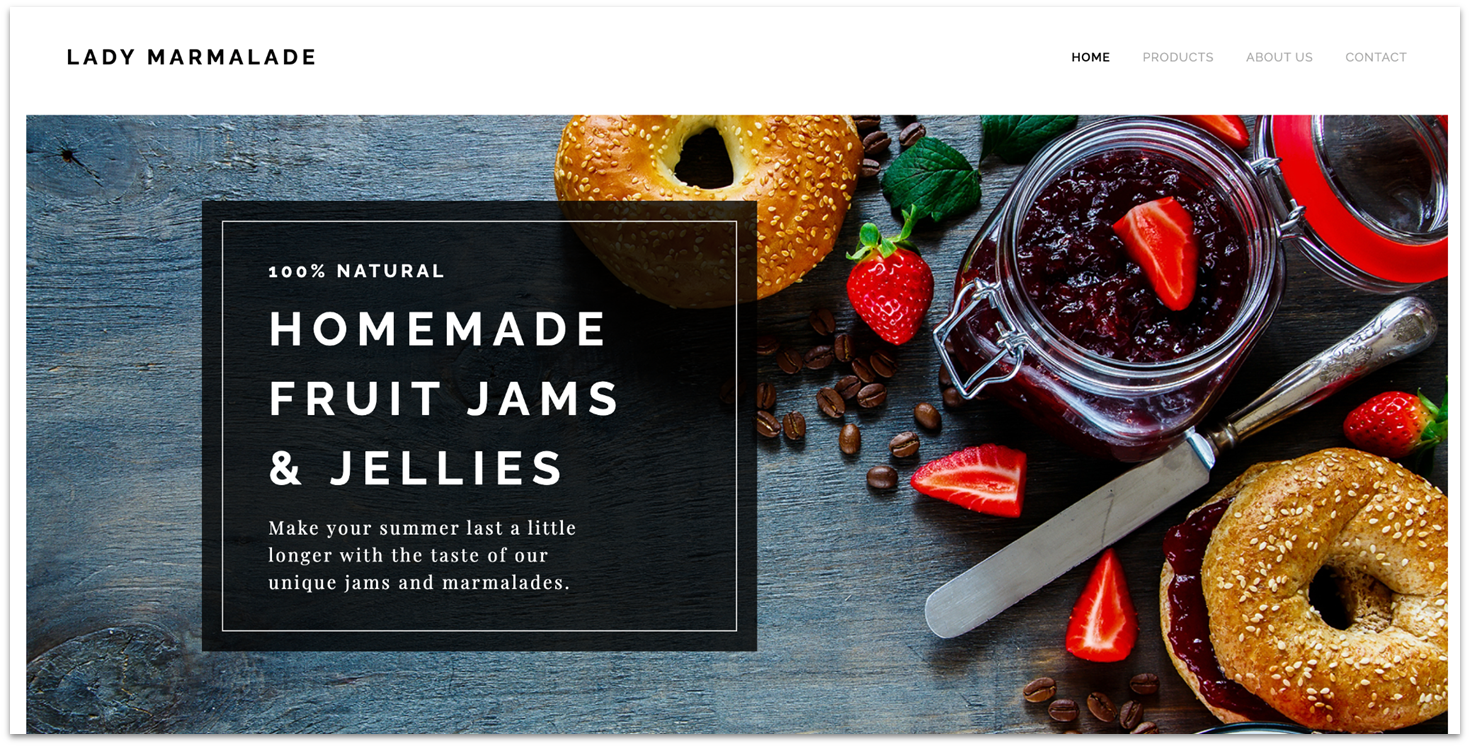
The sites you can make with Webnode are fast and pretty, the software is easy to use, and the platform boasts over 45 million users.
That all sounds impressive, and my actual experience with the software was pleasant enough. However, the free plan is very limited in terms of what you can do with it when compared to other options on this list. Your storage space is small, and almost all the shinier features are locked away behind the paid plans.
When you run face-first into the limits of the free plan (not “if,” “when”), don’t settle for anything less than the Standard plan. It’s inexpensive and gives you access to all the shiny features, even if some of them are still a bit limited. Only upgrade further when your site has started to make you some money.
Features
- Lightly customizable templates. Although you maintain some control over your content’s layout, your choice of template predominantly dictates your site’s overall appearance. Nevertheless, you retain the ability to personalize fonts and colors to imbue your personal touch, a feature that proves to be quite beneficial.
- Mobile editor. Mobile site editors usually offer a terrible user experience, but Webnode is one of the exceptions – you can easily edit your site on your phone or tablet.
- Google AdSense. Yep, you can throw some ads on your free site. Oddly, Google Analytics is reserved for a paid plan. Go figure.
- Add (small bits of) code to the HTML. It’s a minor thing, but being able to inject your own code into the page (such as third-party analytics code) is a nice perk.
To find out more, read our full Webnode review.
| Best For | Simple, mobile-ready websites |
|---|---|
| Features on Free Plan | Mobile editor, Google AdSense integration, basic code editing |
| Free Site URL | sitename.webnode.page |
| Storage/Bandwidth on Free Plan | 100 MB/500 MB |
11. Strikingly: Excellent One-Page Websites

Strikingly’s strong suit is creating one-page websites. That’s also its only suit if you’re on the free plan, as you can’t add more pages to your website without upgrading. Okay, if you add a blog or a store, you technically get more pages, but I feel like that doesn’t count.
Still, this emphasis on simplicity means that creating more complex sites is more or less out of the question. One page doesn’t mean bad, though. A simple and striking one-page site can do wonders for conveying an elegant feel.
If you’re going to pay, the Limited plan is a good starting point. It comes with a free custom domain for a year, free SSL, 5% transaction fee, 50 GB bandwidth, and it lets you sell a single product. Upgrading to the Pro plan gives you a 2% transaction fee, unlimited bandwidth, and ability to sell 300 products.
Features
- A very simple (though limited) site editor. Strikingly’s design system is one where you can choose from one of a limited number of templates to start, then choose “sections” or blocks of content to add to your homepage. You can’t create any custom layouts unless you pay for one of the premium plans, though.
- Blogging. Strikingly has solid blogging features, including the usual things like categorizing, tagging, and scheduling posts. I do like that you can edit your blog posts via much the same interface as you use to edit the rest of your site, and you can see exactly what your post will look like.
- Marketing and analytics tools. You’ll find the usual SEO tools here, as well as email and some built-in analytics tools. Newsletter sign-up forms are available, too.
- Social integration features. Beyond simply adding icons that take people to your social feeds, you’ll find a couple of other neat tools in here, like the ability to embed all of your social feeds from Facebook, Twitter, and Instagram right into your page.
Want to know more? Read our in-depth Strikingly review.
| Best For | Personal projects & portfolios |
|---|---|
| Features on Free Plan | Social media integration, marketing and SEO tools, blogging tools |
| Free Site URL | sitename.mystrikingly.com |
| Storage/Bandwidth on Free Plan | 500 MB/5 GB |
Square Online is the place to go if you just need a store, and fast. I was able to create a test shop incredibly quickly, and the website was all set to go in minutes. That said, it’s still a fairly powerful shop builder, with almost all of the features that small-to-medium-sized businesses could want.
Again, the cost of simplicity is a lack of customization features. Your font selection, color choices, and layout options are all highly limited. There are only 3 templates to choose from on the free plan. They’re pretty basic, but they get the job done.
When upgrading from a free plan, I’d go straight to the Plus plan. It may not have the fancy shipping features and slightly lower payment processing rate of the Premium plan, but it gives you good value for the price. It has some of the most important features, like customer accounts, custom widgets, a custom domain, and subscription selling.
Features
- Do all the usual store things. Monitor stock, provide price reductions and vouchers, handle delivery, gather taxes according to locale, market tangible and electronic items, everything.
- A solid free plan. Sell products for free and most major features without paying a cent in monthly fees. A small percentage of every transaction goes to Square, but that’s true on all plans.
- Third-party integrations. You can sell your products via Facebook, Instagram, and Google Shopping. You can track your purchases with Google Analytics and Facebook Pixel to see which customers like what. Square even has its own (separate) email marketing tool to help you grow your customer base.
- Hire professionals. Two less-than-common services offered by Square Online include: hiring a professional designer to fancy up your site for you, and sending your product line to Square for photos. Yep, you send them your products, they take professional pictures for your store, and send the products back.
Check out our full Square Online review to see what else is on offer.
| Best For | Creating a free online store |
|---|---|
| Features on Free Plan | Sell products, third-party integrations (Facebook, Instagram) |
| Free Site URL | sitename.square.site |
| Storage/Bandwidth on Free Plan | Unlimited/Unlimited |
When Should I Upgrade to a Paid Plan?
A free website builder can be a great starting point, especially for personal projects, hobby blogs, or short-term events like weddings or school assignments. If you’re working with minimal content and don’t need advanced features, a free plan may serve you well for the long haul. However, the limitations of free plans often become apparent as your needs grow.
You should consider upgrading to a paid plan if you’re building a website for professional or business purposes. Free plans often come with unavoidable ads, a platform-branded subdomain, and limited customization options, which can make your site look less professional and harder to find online. If you’re not sure where to start, follow our step-by-step guide to building a website.
Paid plans, on the other hand, allow you to connect a custom domain, remove ads, and unlock features like e-commerce tools, advanced analytics, and extra storage – essential for growing businesses or long-term projects.
Ultimately, it’s time to upgrade when the free plan starts holding you back. Whether it’s running out of storage, needing more bandwidth, or wanting better control over your branding, investing in a premium plan ensures your website can grow with your goals.
Which Free Site Builder Is the Best for You?
The best free builder depends on your specific needs, but the platforms I recommend come with essential features like an AI builder, customizable templates, mobile responsiveness, and built-in SEO tools. These foundational tools ensure you can create a professional-looking website without upfront costs. However, some builders offer features that are better suited for different sites.
If you’re looking for creative freedom, you can’t go wrong with Wix’s 2500+ free templates and flexible editor. It also provides free apps and marketing tools, making it great for non-technical users that want maximum control over their site.
If you’re new to the world of web design and are looking for a beginner-friendly builder, then you’ll love SITE123’s free, simple block editor and pre-built page layouts. With these tools, you can easily build a website without writing a line of code.
Finally, if you’re looking to get online fast, Webador’s free AI can set you up quickly. Webador is particularly great for creating one-page websites like portfolios, landing pages, and wedding invitations.
| Templates on Free Plan | Apps on Free Plan | Cheapest Plan | ||
|---|---|---|---|---|
| Wix | 2500+ | 20+ | Free forever | |
| SITE123 | 80+ | None | Free forever | |
| Webador | 50+ | 30 | Free forever | |
| Squarespace | 180+ on the cheapest plan | 40+ on the cheapest plan | $16.00/mo with a 14-day free trial | |
| Hostinger Website Builder | 180 on the cheapest plan | 7 on the cheapest plan | $2.99/mo with a 7-day free trial | |
| IONOS Website Builder | 40+ on the cheapest plan | None | $1.00/mo with a 30-day money-back guarantee | |
| Elementor | 1 | None | Free forever | |
| WordPress.com | 180+ | None | Free forever | |
| Jimdo | 20+ | 20+ | Free forever | |
| Webnode | 190+ | None | Free forever | |
| Strikingly | 170+ | None | Free forever | |
| Square Online | 3 | 6 | Free forever |
FAQ
What is the best completely free website builder?
It’s all going to depend on what you need. A free website builder like Wix will give you full creative control, but it comes with a somewhat steeper learning curve. Site123 is quicker and easier to use but doesn’t give you that much room to play around. Want the world’s biggest publishing platform behind your site? WordPress.com is the way to go.
Is Wix actually free?
Yes. Wix offers a free plan that allows you to build and publish a website without any cost. However, your site will display Wix branding, you can’t use a custom domain, and your storage and bandwidth are limited to 500 MB and 1 GB respectively. To remove these restrictions, you would need to upgrade to one of Wix’s premium plans.
What’s the difference between a free trial and a free plan for a website builder?
A free trial gives you temporary access to premium features for a limited time, while a free plan offers ongoing access to basic features with no time limit.
What’s the best free website builder for a small business?
Wix is the best free website builder for small businesses in 2025. It offers 2500+ templates, a drag-and-drop editor, built-in SEO tools, and AI-powered design features. SITE123 is another good option. Asides from a beginner-friendly editor, it offers useful features like event calendars and appointment scheduling.
Is Google Sites a free website builder?
Yes, Google Sites is a free website builder. However, it has major limitations like limited design flexibility, no built-in blogging or SEO tools, and no support for third-party tools. I recommend Webador instead. It offers drag-and-drop editing, customizable templates, blogging features, and SEO tools – even on its free plan.
Where do I get a free website builder and domain?
You can build a free website with Wix, which gives you a Wix-subdomain (yoursite.wixsite.com) at no cost. If you want a custom domain (like yoursite.com), Wix offers a free domain for one year when you buy an annual Premium plan.
If you need help deciding which premium Wix plan to go for, feel free to check out our detailed guide on Wix’s pricing plans.